
ReCaptchaV2Token
Solve a Google reCAPTCHA V2 checkbox or invisible widget through your own proxy and receive the g-recaptcha-response token.
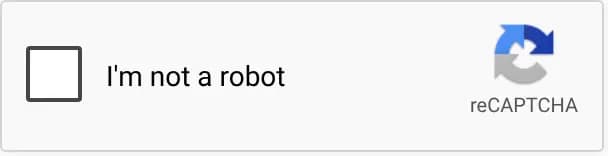
ReCaptchaV2Token solves a Google reCAPTCHA V2 widget through your proxy and returns the g-recaptcha-response token that you submit with the form. V2 is Google's checkbox widget ("I'm not a robot"), which can escalate to an image challenge. The invisible variant has no checkbox and starts from a button click or a grecaptcha.execute() call.
If the target does not compare the provider's IP with the IP that submits the form, use ReCaptchaV2TokenProxyLess. For pages that load enterprise.js, use ReCaptchaV2EnterpriseToken.
Use your proxy
task.proxy is required on this task type, and the provider solves from that address. The proxy must keep one IP for the whole solve: see Keep the same IP for the whole solve. Submit the form from the same address.
Find the sitekey
The sitekey is the public identifier of the widget, and it goes into websiteKey. On Google's reCAPTCHA demo it is the data-sitekey of the widget container:
<div class="g-recaptcha" data-sitekey="6Le-wvkSAAAAAPBMRTvw0Q4Muexq9bi0DJwx_mJ-" data-callback="onSuccess"></div>Elements tab
- Open DevTools and go to the Elements tab.
- Search (Ctrl + F) for
data-sitekeyorg-recaptcha. - Copy the
data-sitekeyvalue of the container.

Network tab
If the widget is rendered with grecaptcha.render(), there is no data-sitekey attribute. Open the Network tab, filter for recaptcha, and find the request to google.com/recaptcha/api2/anchor. The sitekey is its k query parameter.
Console
(() => {
    const el = document.querySelector('.g-recaptcha[data-sitekey], [data-sitekey]');
    const iframe = document.querySelector('iframe[src*="recaptcha"]');
    const key = el?.dataset.sitekey ?? (iframe && new URL(iframe.src).searchParams.get('k'));
    console.log('sitekey:', key ?? 'Not found');
})();
Optional parameters
isInvisible: set totruewhen the container hasdata-size="invisible", or when the anchor iframe URL containssize=invisible.apiDomain: set torecaptcha.netwhen the page loads its script fromrecaptcha.netinstead ofgoogle.com.userAgentandcookies: send them when the page ties the widget to a browser session.cookiesuses thekey1=val1; key2=val2format.isSession: also returns therecaptcha-ca-tsession cookie insolution.cookies. Only providers that expose session cookies honor it.
Submit the token
Per Google's verification guide, a response token must be verified within two minutes, so submit the token as soon as you receive it. If the site rejects it, check that the proxy kept one IP for the whole solve, then that websiteKey and websiteURL come from the page that shows the widget.
Set the value of the g-recaptcha-response textarea, then submit the form:
document.getElementById('g-recaptcha-response').value = 'TOKEN_HERE';If the widget has a data-callback (the demo uses onSuccess), call that function with the token instead. Pages that use grecaptcha.render() keep the callback inside window.___grecaptcha_cfg.clients; the exact path differs between pages.
Check Provider stats for live success rates and solve times before you pick a provider.
Supported Providers
| Provider | Price per 1,000 | Routing |
|---|---|---|
CapSolver | $0.80 | |
2Captcha | $1.00–$2.99 | |
Anti-Captcha | $0.95–$2.00 | |
CapMonster | $0.60 | |
EZCaptcha | $0.60 | |
SolveCaptcha | $0.55 | |
Iso | $1.00 | |
SCTG | $0.08 | |
VoidCaptcha | $0.50 |






Request Schema
| Field | Type | Required | Description |
|---|---|---|---|
clientKey* | string | Yes | Your API key. Create one in a workspace of the AnySolver dashboard. Example: |
task* | object | Yes | The task body. Required fields depend on the task type. See Tasks for per-task schemas. View task properties |
settings | object | No | Per-request settings for routing, Auto Retry, Auto Fallback, proxy reuse, response statistics and detailed analytics. Each field overrides the API key's value. See Routing modes. View settings reference |
Task Object Properties
The task field accepts an object with the following properties:
| Field | Type | Required | Description |
|---|---|---|---|
type* | Yes | ||
websiteURL* | URL | Yes | Full URL of the page where the CAPTCHA is displayed. Example: |
websiteKey* | string | Yes | The sitekey found in the CAPTCHA HTML element on the target page. Example: |
pageTitle* | string | Yes | Title of the target page ( Example: |
proxy* | string | object | Yes | Proxy the provider solves through, as a string or an object. See Proxy configuration. View proxy configurationExample: |
isInvisible | boolean | No | Set to true when the widget is invisible: the container has data-size="invisible" (or the anchor iframe URL contains size=invisible) and the challenge starts from a button click or a grecaptcha.execute() call instead of a checkbox. Example: |
userAgent | string | No | Browser User-Agent string. Must match the browser used on the target page. Not all providers properly support this parameter. Verify the compatibility with the provider you are using. Example: |
cookies | string | No | Cookies from the target page session, if required for solving. Example: |
pageAction | string | No | Action the page passes to the widget (data-action attribute or the action in grecaptcha.enterprise.execute()), such as verify or submit. Mainly relevant on enterprise flows; it must match the page exactly. Example: |
apiDomain | string | No | Domain the page loads reCAPTCHA from: google.com (the default) or recaptcha.net. Set recaptcha.net when the api.js or enterprise.js script URL uses it. Example: |
isSession | boolean | No | Session mode: also return the recaptcha-ca-t session cookie in the solution cookies, for sites that read it with the token. Only providers that expose session cookies honor it; the rest ignore it. Example: |
{
    "clientKey": "YOUR_API_KEY",
    "task": {
        "type": "ReCaptchaV2Token",
        "websiteURL": "https://www.google.com/recaptcha/api2/demo",
        "websiteKey": "6Le-wvkSAAAAAPBMRTvw0Q4Muexq9bi0DJwx_mJ-",
        "pageTitle": "ReCAPTCHA demo",
        "proxy": "http://user:pass@1.2.3.4:8080"
    }
}
Optional fields are not guaranteed across providers
Response Schema
| Field | Type | Required | Description |
|---|---|---|---|
status* | Yes | Task status: "processing", "ready", or "failed". Example: | |
errorId* | Yes |
Example: | |
taskId | string | No | Unique identifier returned when the task was created. Example: |
errorCode | No | Machine-readable error code. Example: | |
errorDescription | string | No | Human-readable error message with resolution hints. Example: |
cost | number | No | Actual cost charged for this task in USD. Example: |
taskType | No | The type of CAPTCHA task to solve. Example: | |
provider | No | Provider that handled this task. While processing, the provider currently solving it. Example: | |
solution | object | No |
Solution Object Properties
The solution field contains an object with the following properties:
| Field | Type | Required | Description |
|---|---|---|---|
token* | string | Yes | The solved CAPTCHA token to submit with your form. Example: |
raw* | Record<string, unknown> | Yes | Raw provider response data for advanced use cases. |
userAgent | string | No | User-Agent string used during solving. |
cookies | Record<string, unknown> | No | Session cookies obtained during solving. |