
HumanRecognition
Have human workers read and transcribe a CAPTCHA image, with instructions and answer constraints. Shows the request schema, an example and provider prices.
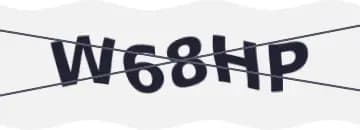
HumanRecognition sends the CAPTCHA image to human workers, who type the text back in solution.text. Use it when TextRecognition does not read the image correctly or when the image needs instructions, such as colour rules, a separate instruction image, or a math expression.
Guide the worker
Set the fields that match the image you know, so the workers get it right.
| Field | What it does |
|---|---|
comment | A text instruction shown to the worker, for example enter only the red characters. |
imgInstructions | A separate base64 image shown next to the CAPTCHA, for when text is not enough. |
math | Set to true when the image shows an expression. The worker returns the result (2+6= returns 8). |
phrase | Set to true when the answer has at least two words separated by a space. |
caseSensitive | Set to true to make the worker keep the upper and lower case of the image. |
numeric | The character types of the answer: 0 no preference, 1 only numbers, 2 only letters, 3 only numbers or only letters, 4 numbers and letters. |
minLength | The minimum answer length. 0 means no limit. |
maxLength | The maximum answer length. 0 means no limit. |
languagePool | Routes the task to workers who speak a language. Accepted values depend on the provider. |
languagePool takes en and rn on Anti-Captcha, and language codes such as en, ru or zh on 2Captcha. Providers support different subsets of these fields. Anti-Captcha supports only numeric values 0 to 2; AnySolver treats 3 and 4 as 0 for it.
Check Provider stats for live success rates and solve times before you pick a provider.
Supported Providers
| Provider | Price per 1,000 | Routing |
|---|---|---|
2Captcha | $0.50–$1.00 | |
Anti-Captcha | $0.70 | |
SolveCaptcha | $0.35 |


Request Schema
| Field | Type | Required | Description |
|---|---|---|---|
clientKey* | string | Yes | Your API key. Create one in a workspace of the AnySolver dashboard. Example: |
task* | object | Yes | The task body. Required fields depend on the task type. See Tasks for per-task schemas. View task properties |
settings | object | No | Per-request settings for routing, Auto Retry, Auto Fallback, proxy reuse, response statistics and detailed analytics. Each field overrides the API key's value. See Routing modes. View settings reference |
Task Object Properties
The task field accepts an object with the following properties:
| Field | Type | Required | Description |
|---|---|---|---|
type* | Yes | ||
imageBase64* | string | Yes | Base64-encoded captcha image that a human worker will read and transcribe. Example: |
websiteURL* | URL | Yes | Page URL where the captcha appears. Not every provider forwards it. Example: |
comment | string | No | Text instruction for the worker describing what to enter, for example enter only the red characters or ignore the strikethrough text. Example: |
imgInstructions | string | No | Separate base64-encoded instruction image shown alongside the captcha as a visual reference. Use when the captcha format is unusual and workers need an example of what to look for. |
phrase | boolean | No | When true, the answer must contain at least two words separated by a space. |
caseSensitive | boolean | No | When true, workers must preserve upper and lowercase exactly as shown in the image. |
numeric | number | No | Expected character types in the answer. 0 = no preference, 1 = numbers only, 2 = letters only, 3 = only numbers or only letters, 4 = must contain both numbers and letters. Example: |
math | boolean | No | When true, the captcha shows a math expression and the worker returns the calculated result (e.g. 2+6= returns 8). |
minLength | number | No | Minimum expected answer length. 0 means no constraint. Example: |
maxLength | number | No | Maximum expected answer length. 0 means no constraint. Example: |
languagePool | string | No | Routes the task to a worker pool by language. The accepted values depend on the provider: Anti-Captcha takes en (English) and rn (Russian, Ukrainian, Belorussian, Kazakh); 2Captcha takes language codes such as en, ru, es or zh. Example: |
{
    "clientKey": "YOUR_API_KEY",
    "task": {
        "type": "HumanRecognition",
        "imageBase64": "/9j/4AAQSkZJRgABA...",
        "websiteURL": "https://example.com/login"
    }
}
Optional fields are not guaranteed across providers
Response Schema
| Field | Type | Required | Description |
|---|---|---|---|
status* | Yes | Task status: "processing", "ready", or "failed". Example: | |
errorId* | Yes |
Example: | |
taskId | string | No | Unique identifier returned when the task was created. Example: |
errorCode | No | Machine-readable error code. Example: | |
errorDescription | string | No | Human-readable error message with resolution hints. Example: |
cost | number | No | Actual cost charged for this task in USD. Example: |
taskType | No | The type of CAPTCHA task to solve. Example: | |
provider | No | Provider that handled this task. While processing, the provider currently solving it. Example: | |
solution | object | No |
Solution Object Properties
The solution field contains an object with the following properties:
| Field | Type | Required | Description |
|---|---|---|---|
text* | string | Yes | Text from the captcha image as entered by the human worker. Example: |
raw* | Record<string, unknown> | Yes | Raw provider response data for advanced use cases. |